POD Studio · Print design
From a print idea to a design you can check and deliver
POD Studio is MyAgentHubs' browser-based print design tool. Generate or pick an artwork, preview it on a tee or long sleeve, check print readiness, then export a delivery pack.
Web · Three samples need no invitation code · AI generation needs one
What it solves
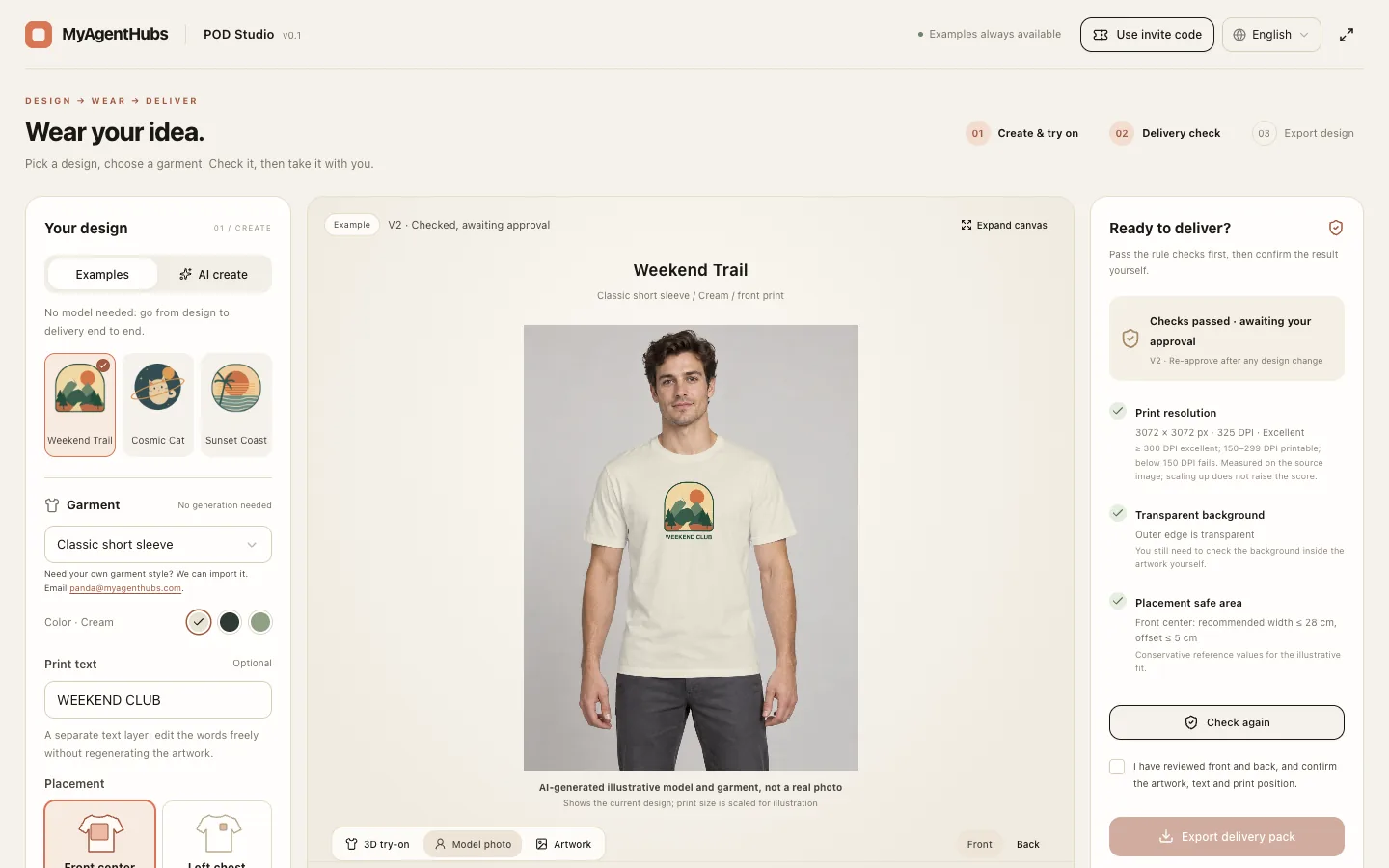
Print-on-demand sellers and designers often get stuck after the artwork exists: how it looks on a garment, where to place it, whether it is sharp enough, and what to hand the printer. POD Studio puts that stretch in one workspace. Artwork, garment and text are adjusted separately, the checks run on the real image pixels, and the export carries a design spec.
How it works: three steps
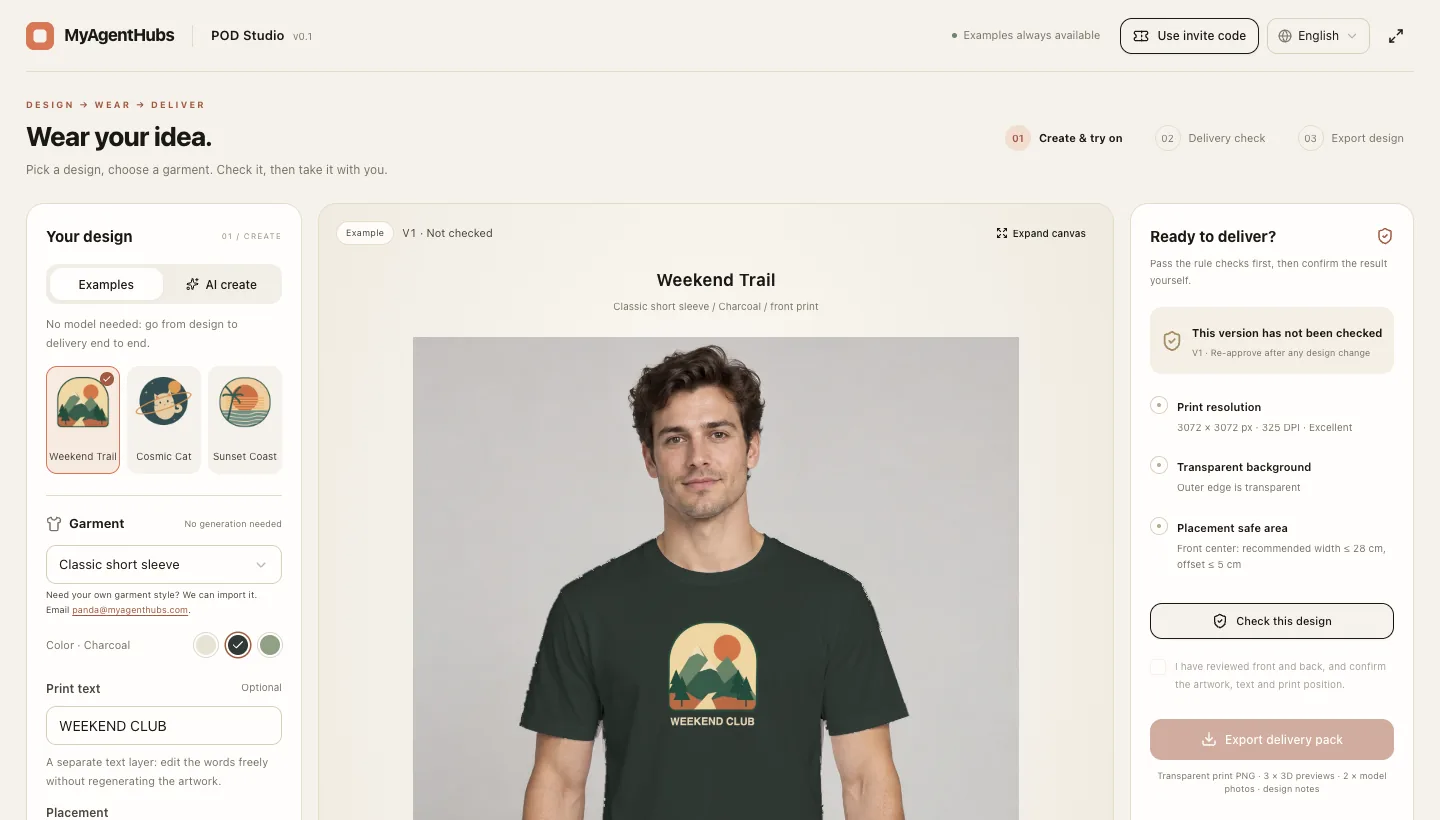
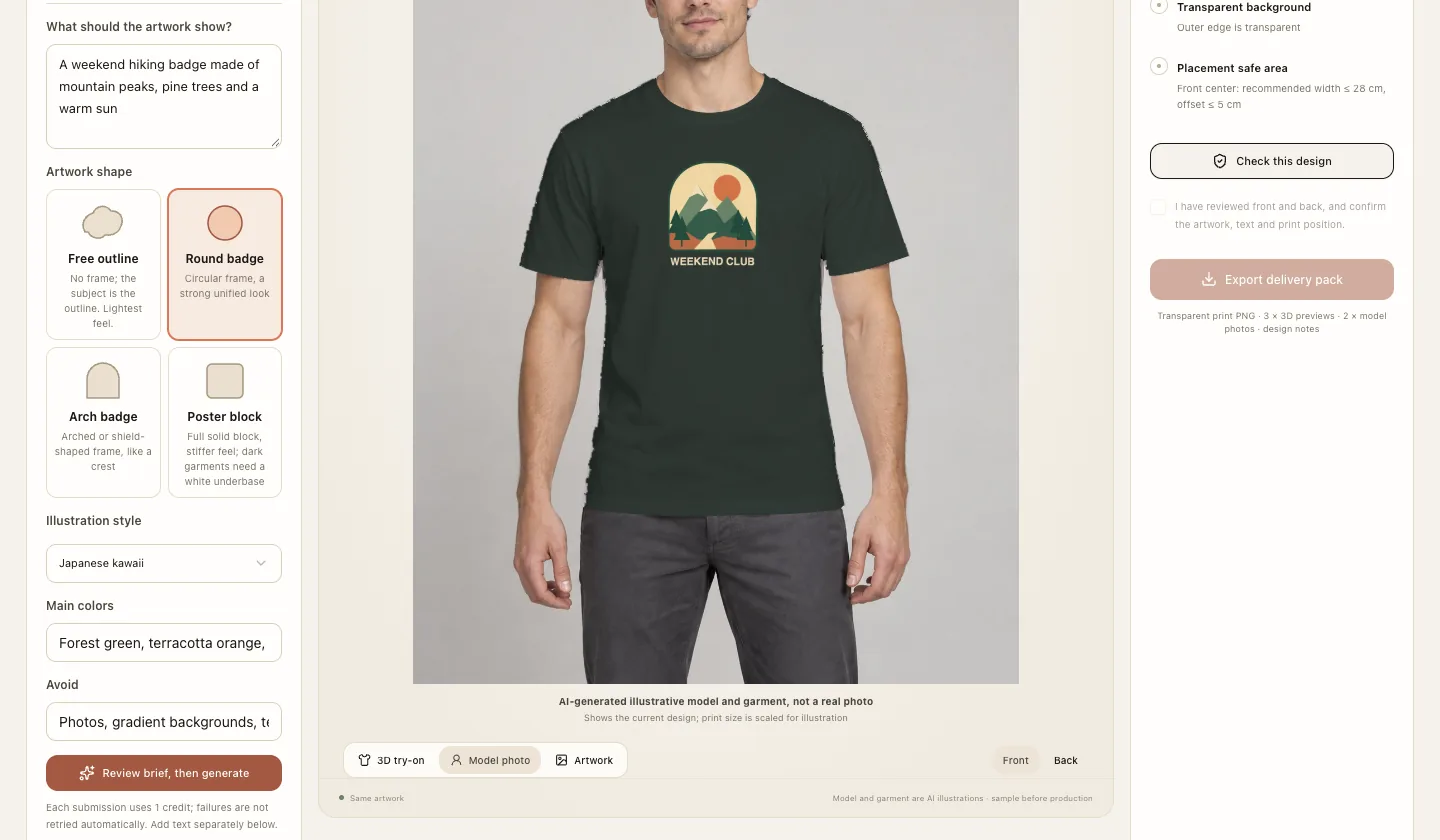
Pick a sample, or confirm a brief and generate artwork with AI. Choose the garment, color, placement and size.
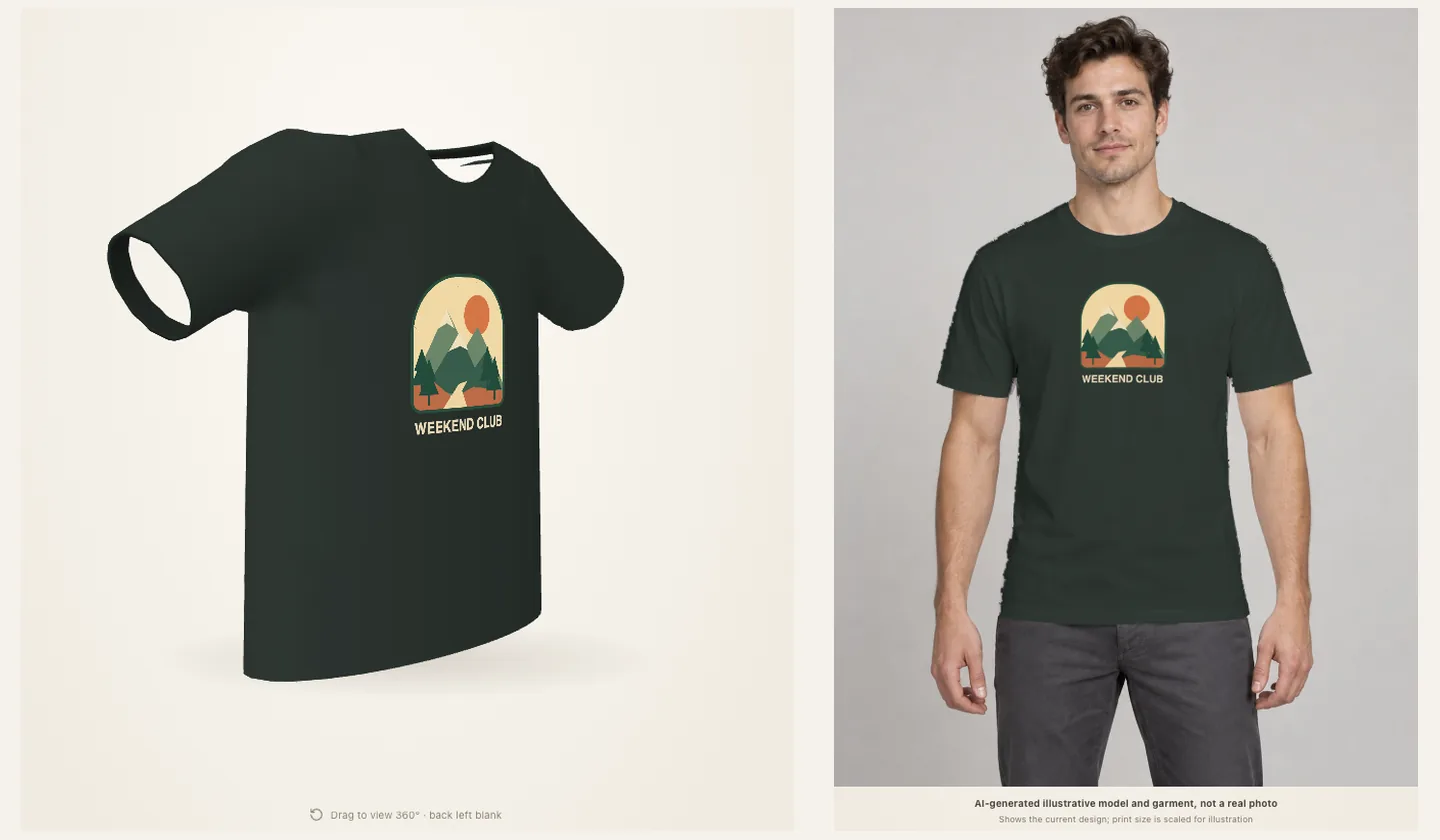
See the result in a continuously rotating 360° preview and in a model mockup.
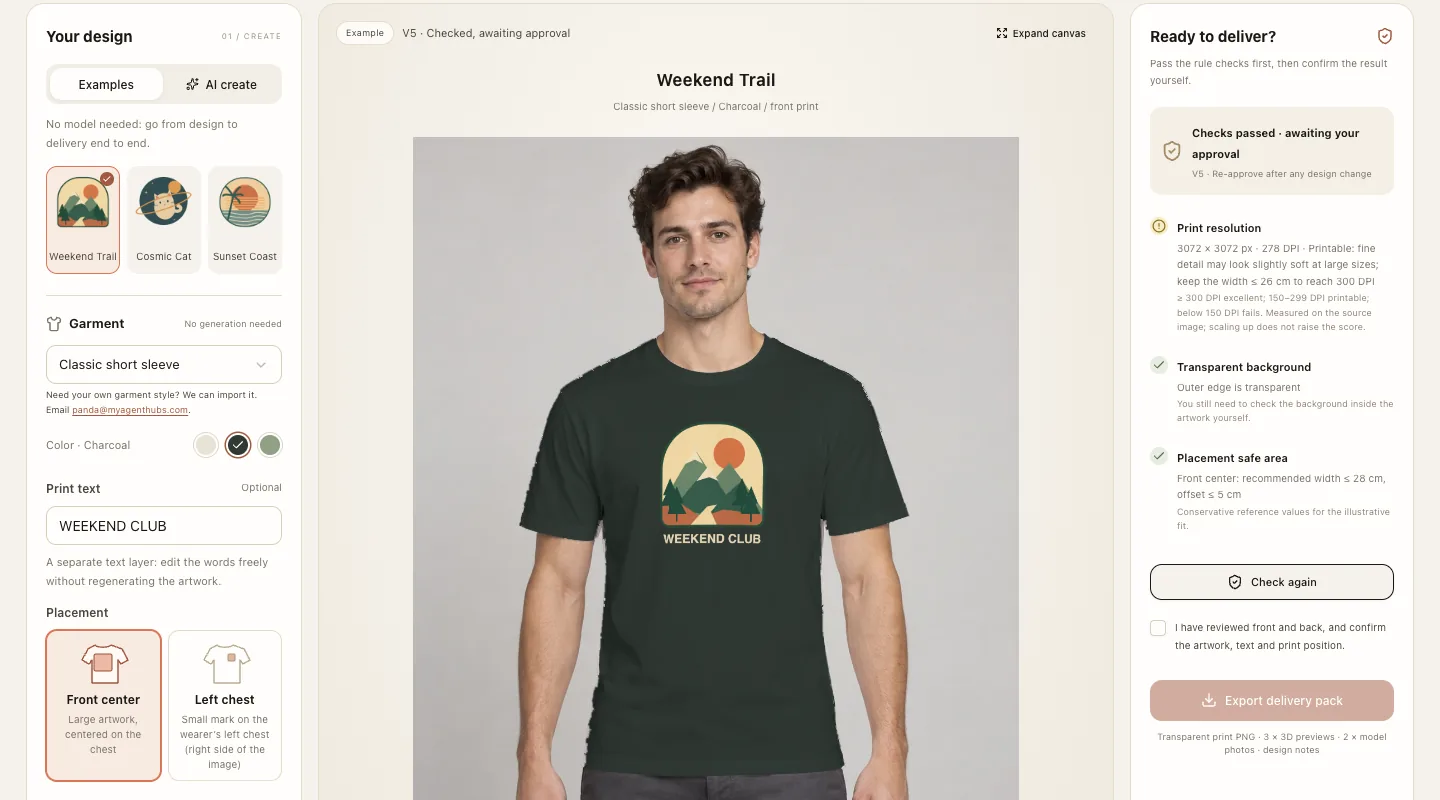
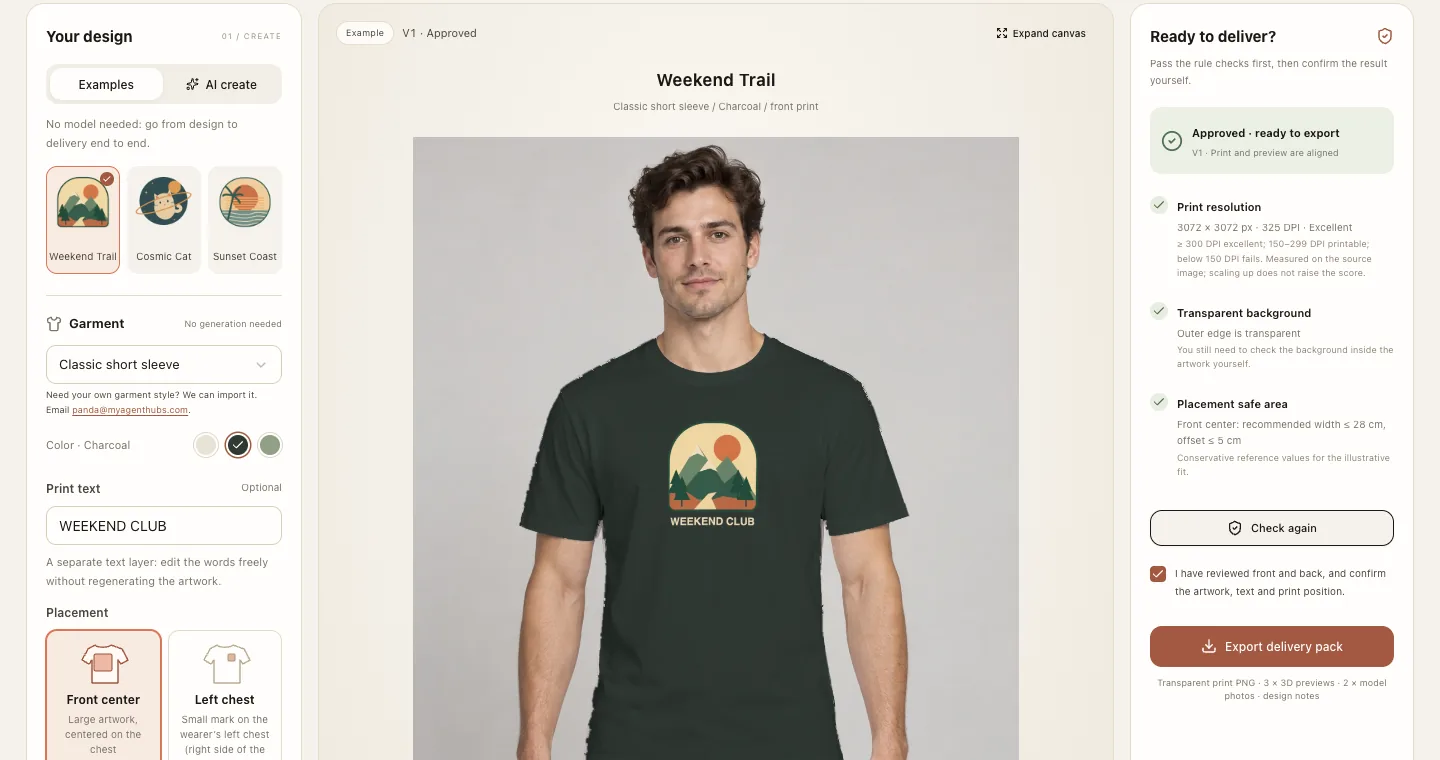
Run the delivery checks, approve by hand, then export the artwork, three views and design spec.
Highlights
Three complete samples, no invitation code
Weekend Trail, Cosmic Cat and Sunset Coast can be edited, previewed, checked and exported as they are. They never call AI.
AI generation: confirm first, then it counts
You confirm the subject, style, palette and exclusions before generation starts. Each invitation code allows at most 5 generations in total; a failed generation still counts, and nothing is retried automatically.
4 shapes, 5 styles
Free outline, round badge, arch badge or square poster block, combined with retro flat, clean line, kawaii, bold geometric or abstract illustration.
Colors that follow the garment
Pick cream, sage or charcoal first, and generation steers away from artwork that would blend into the fabric.
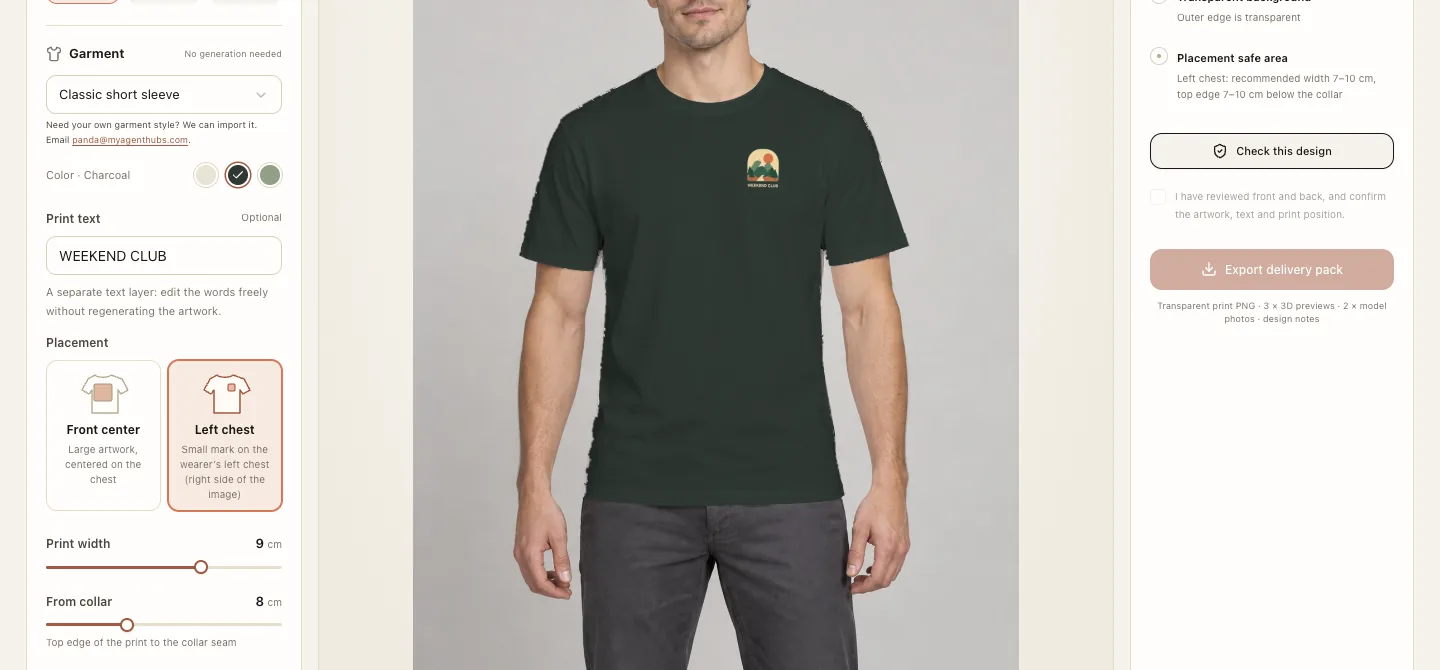
Front-chest and left-chest placement, with collar distance
Place the print center-front or as a small left-chest mark (7–10 cm wide). The workspace shows how many centimeters the top edge sits below the collar seam.
360° preview and model mockup
The same artwork drives a continuously rotating 3D preview and a static model mockup (an AI-generated illustrative model, not a photograph). The back stays blank.
Delivery checks
DPI is computed from the original image’s effective pixels and physical size, alongside transparent-edge, empty-artwork and placement checks. Enlarging the canvas does not raise the score.
Export a delivery pack
After you approve, export a ZIP with the artwork PNG, three views and a design spec. Editing the design invalidates the checks and the approval, so versions never mix.
My designs
Five slots match the five uses. Reload a generated artwork without spending a use, download the original, or revise from the same brief. Kept about 30 days; keep what you need by downloading the original.
In the workbench
How to get an invitation code
Email panda@myagenthubs.com with your name, the kind of designs you want to make and roughly how many generations you need. Enter the code in the app to unlock AI generation. Each code allows at most 5 real generations in total, and failed ones count.
Email to request a codeFAQ
Do I need my own API key?
No. POD Studio never asks for an API key. The three samples open straight away, and AI generation only needs an invitation code.
How are uses counted?
Each invitation code allows at most 5 generations in total. A use is reserved when you submit a confirmed brief; submitted jobs that fail, are blocked or time out still count, while a request rejected at the parameter check does not. Nothing is retried automatically. If the outcome is unknown, for example after a timeout or a lost connection, generation for that code pauses until the job is checked. Reloading a design, downloading, recoloring, editing text and exporting never use a generation.
How long is my data kept?
Request details and generated images are kept for about 30 days and then removed. The cleanup is run by hand, about once a week, with no automatic schedule, so content can stay slightly longer than 30 days; to keep something long term, download the original image or export the delivery package. Only a content-free usage record remains so the 5-use limit still holds. Images sit in private storage with no public link. Details are on the Privacy page.
What if generation fails?
The failure is shown as it is, and that use is still counted. Nothing is retried or switched automatically. While uses remain you can adjust the brief and submit again, or keep working with the three samples. If a job shows as needing a check, email panda@myagenthubs.com.
Is it certified by a print factory?
No. POD Studio is a demo and design tool. It has not been certified by any print factory, and we do not claim it is used in production. The garments are schematic models, so get a supplier sample before real production.
What about demo-version resolution and a high-resolution version?
The demo-version resolution is enough for try-on previews and small-size prints. If real production needs larger, higher-resolution artwork, email panda@myagenthubs.com.