From everyday notes to multi-channel publishing.
Capture thoughts and reading notes with text and images, then prepare them for multiple channels: WeChat drafts, authorized YouTube video uploads, and manual publishing packs for Xiaohongshu, Weibo and Bilibili. Your notes stay in storage you control.
Multi-channel publishing, from one workspace.
Start with a note, select channels, review the output, then check the result and publishing records. Each channel has a different final step.
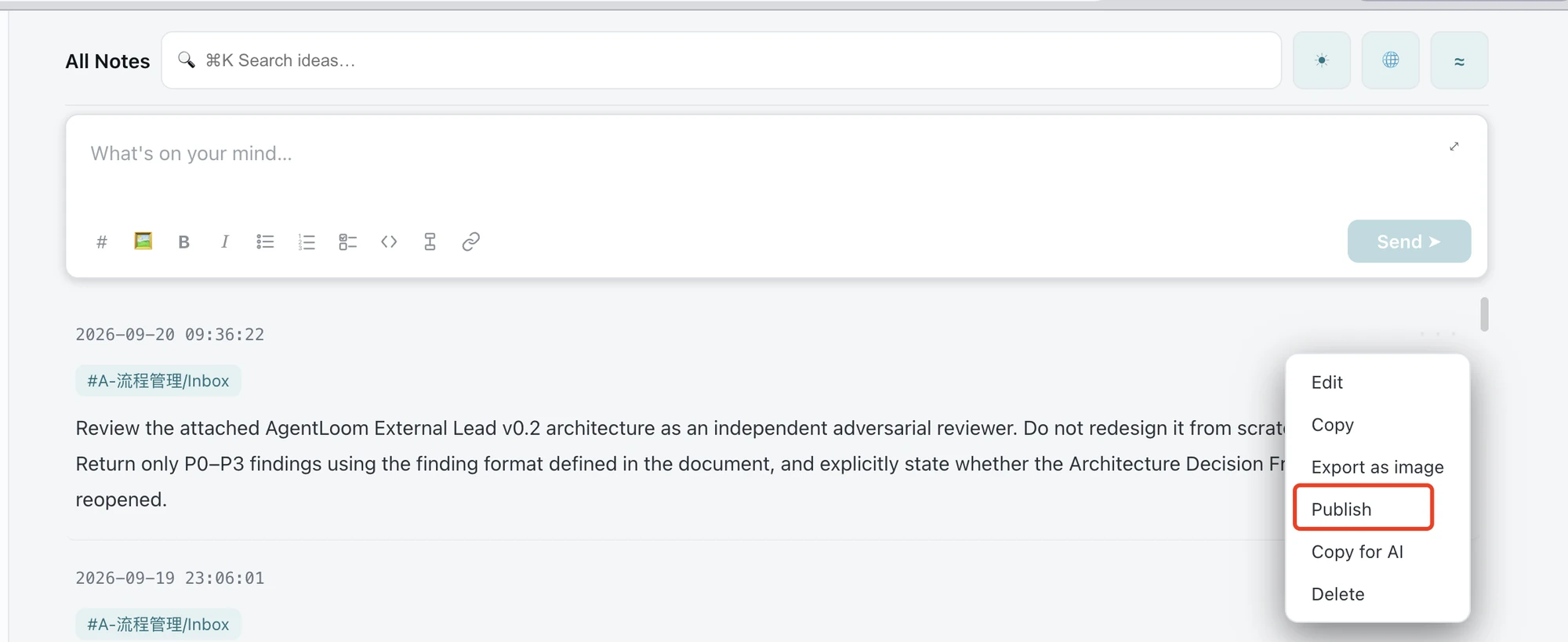
Start from an existing note: open its ⋯ menu and choose Publish to enter the Content → Channels → Result workflow.
Start from a note
Choose Publish in the menu of the note you want to share.
Review the content
In Content, check the text, images or video you want to publish.
Choose channels and preview
In Channels, select destinations and use Preview to inspect each output.
Check the result
After submitting, open Result to check drafts or uploads, or collect the material pack and post it yourself.
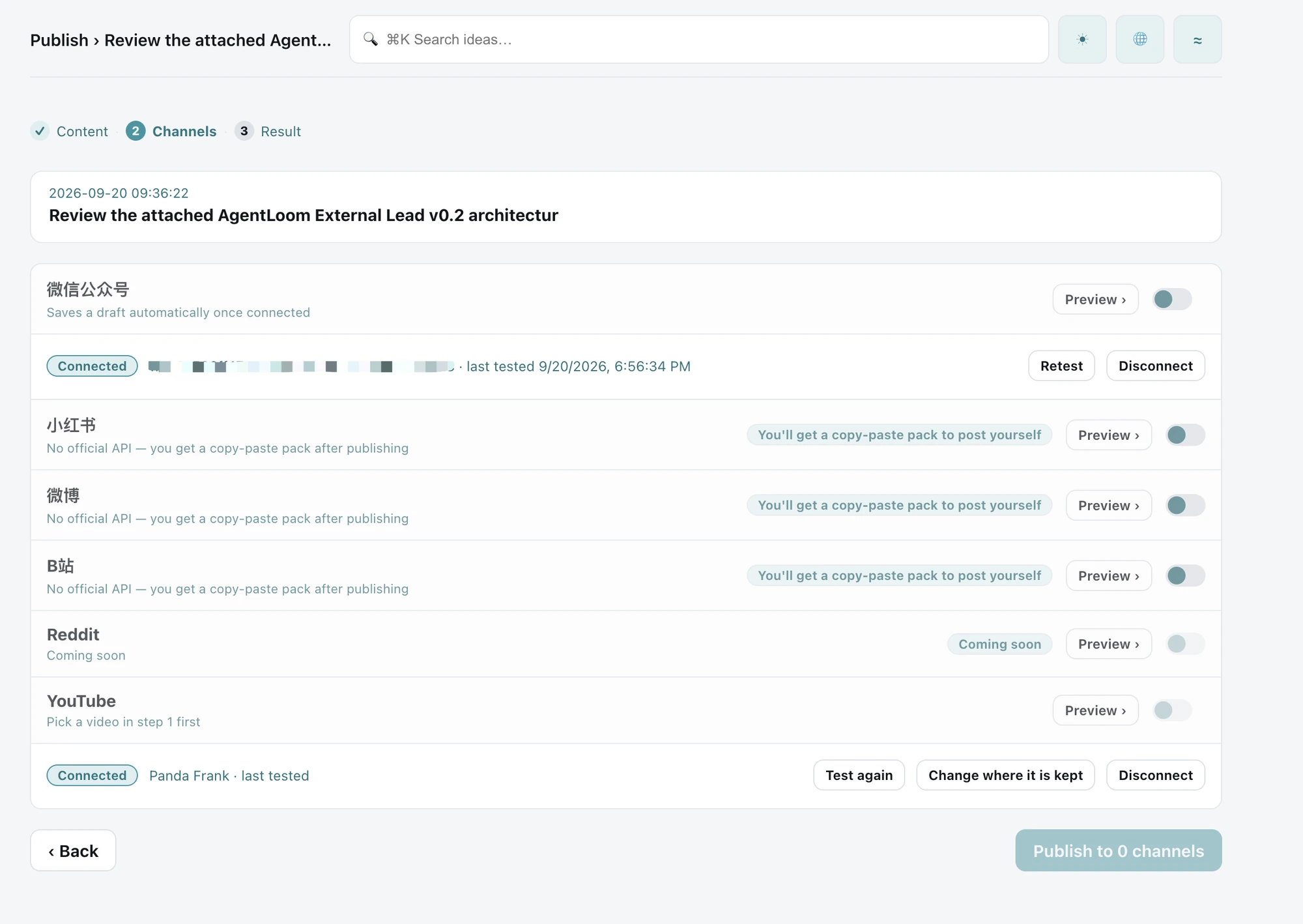
This is a selection screen before submission: no channels are selected, so the publish button is disabled. YouTube requires a video selected in Content; Reddit is marked Coming soon and is not supported. Select an image to view it at full size.
WeChat Official Accounts
Choose from eight built-in templates or customize your own. Preview the article and create a draft in your account. Sending it to subscribers remains a separate action.
YouTube
Authorize your account and upload a video. Uploads depend on your account, quota and network; a text-only note is not a video.
Xiaohongshu · Weibo · Bilibili
Copy text, save images and open the platform to publish yourself. These channels provide material packs, not automatic posting.
Publishing records bring channel status and links together. Web and iOS capabilities differ; the latest multi-channel workflow is described here for the Web.
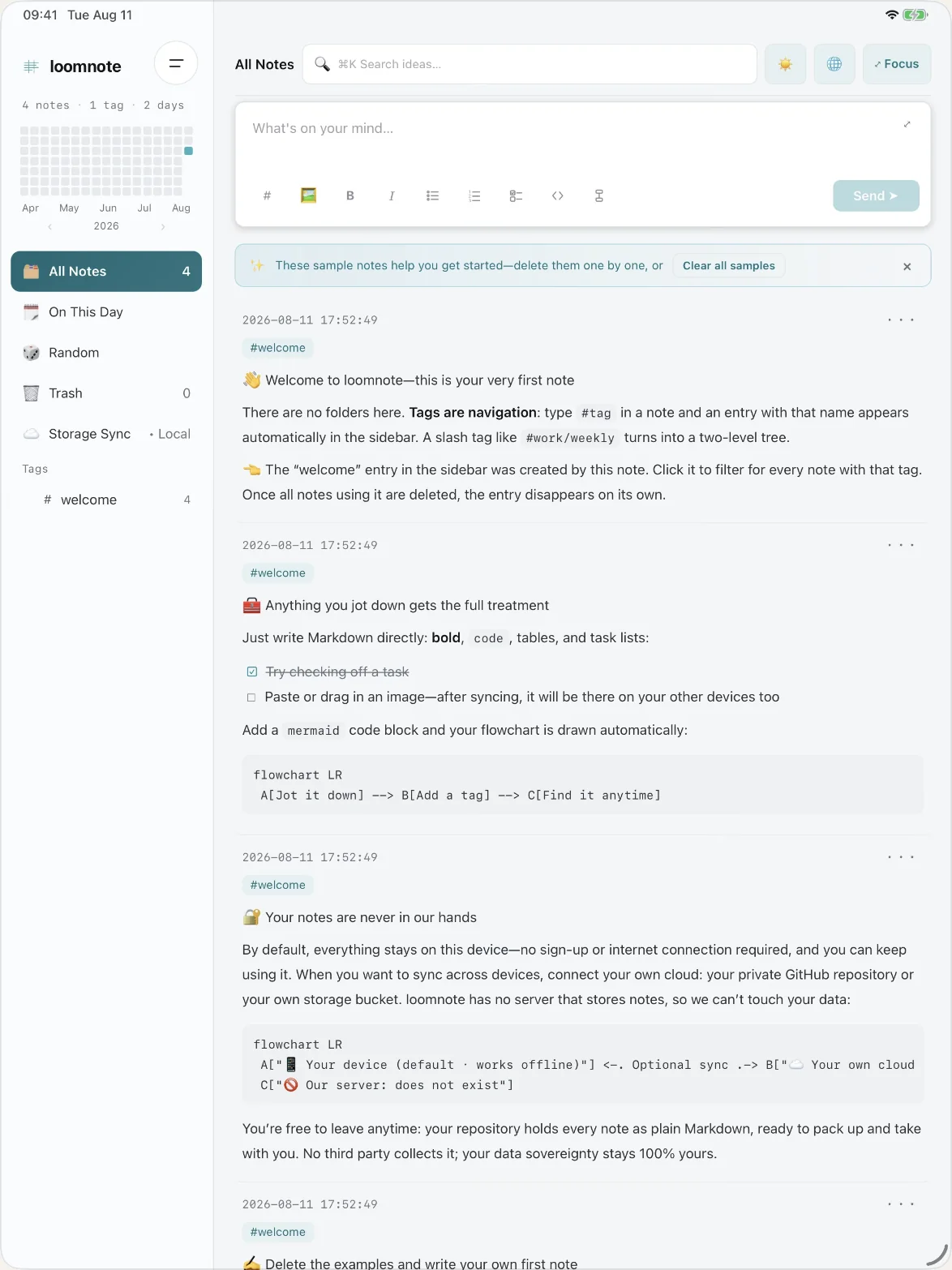
Jot it down. Add a tag. Find it anytime.
There are no folders here. Type #tag in a note and an entry with that name appears in the sidebar automatically. A slash tag like #work/weekly turns into a two-level tree. Delete every note using a tag and the entry disappears on its own.
Your note appears as soon as you press Enter, while it finishes saving in the background. Retry or discard failures without losing your train of thought.
Code blocks, lists, images, and tables render as you write without breaking your flow. Everything is stored as plain .md files, one per note.
Add a mermaid code block and your flowchart is drawn automatically — right there in the note.
Use ⌘K to search across everything you've written.
简中 / 繁中 / English / 日本語 / 한국어 — switch the interface whenever you like.
Data sovereignty, made concrete.
Notes use plain Markdown in your own GitHub repository or S3-compatible storage. You control the storage and can retrieve the files independently of Loomnote.
For GitHub storage, retrieve your notes with git clone; for S3-compatible storage, use your bucket’s download tools. Storage ownership and hosted publishing are separate parts of the workflow.
What still passes through us
- The front-end JavaScript is served by us. Whatever we ship, your browser runs — this is not a zero-trust setup.
- GitHub note reads and writes go straight from your browser to
api.github.com. Only the OAuth token exchange passes through an edge Worker whose response is set to no-store; the application does not persist or actively log the token. - S3-compatible storage is written straight from your browser to the bucket you configure.
- Your browser cache holds plaintext — on your own device.
- For hosted WeChat operations, article text, images and necessary credentials are processed by our Worker and gateway and sent to WeChat as required. User-owned storage does not mean end-to-end encryption or GDPR certification.
A notes tool shaped by the way I work.
The starting point
I use Loomnote for quick notes, reading notes and sharing ideas. I had used Obsidian and flomo and valued both, but wanted a workflow closer to my own habits.
The product choice
Keep text and images together, keep notes in storage I control, and connect writing to channel-specific output. Markdown and user-owned storage make the notes portable; publishing still needs each platform’s services.
My contribution
I defined the needs from daily use and used AI-assisted development to implement and integrate the workflow. The work connects note capture, storage, templates and channel outputs, with feedback from actual use guiding the next iteration.
What has shipped, and what remains
The Web workflow includes eight WeChat templates, draft creation, authorized YouTube uploads, manual material packs and publishing records. Recent reports of slow WeChat previews and errors while loading results remain under investigation; no measured speed or reliability improvement is claimed here.
An example: a reading note becomes a WeChat draft
Illustrative workflow, not a real publishing receipt: write a short reflection with an image → choose a template → inspect the preview → create a WeChat draft → review it in WeChat before sending. The note stays in your storage; the draft is a separate channel output.
MCP and the Web app are separate entry points.
The separately configured local loomnote-mcp package can connect an AI client to a supported note source and publishing tools. Which data reaches a model provider depends on your client, permissions and actions.
The production Web app’s AI access panel is currently disabled. Do not rely on the older instructions to copy configuration from that panel.
A separate setup
Local MCP capability does not mean AI-assisted publishing is available in the hosted Web interface. Hosted publishing also follows the data-processing boundaries described above.
Loomnote for iPhone and iPad.
The iPhone and iPad app is available separately. This page’s latest multi-channel publishing description covers the Web; it does not promise feature parity with the installed iOS version.


Start with one note.
No folders to plan, no schema to design. Type something, give it a tag, move on — it works in your browser right now.