01 / The page says more than the chat can hold
I began using HTML prototypes more often to describe requirements. Layout, hierarchy and interaction intent became directly visible. Yet feedback stayed scattered across chat. “Change this part” quickly loses its meaning without the page and location.
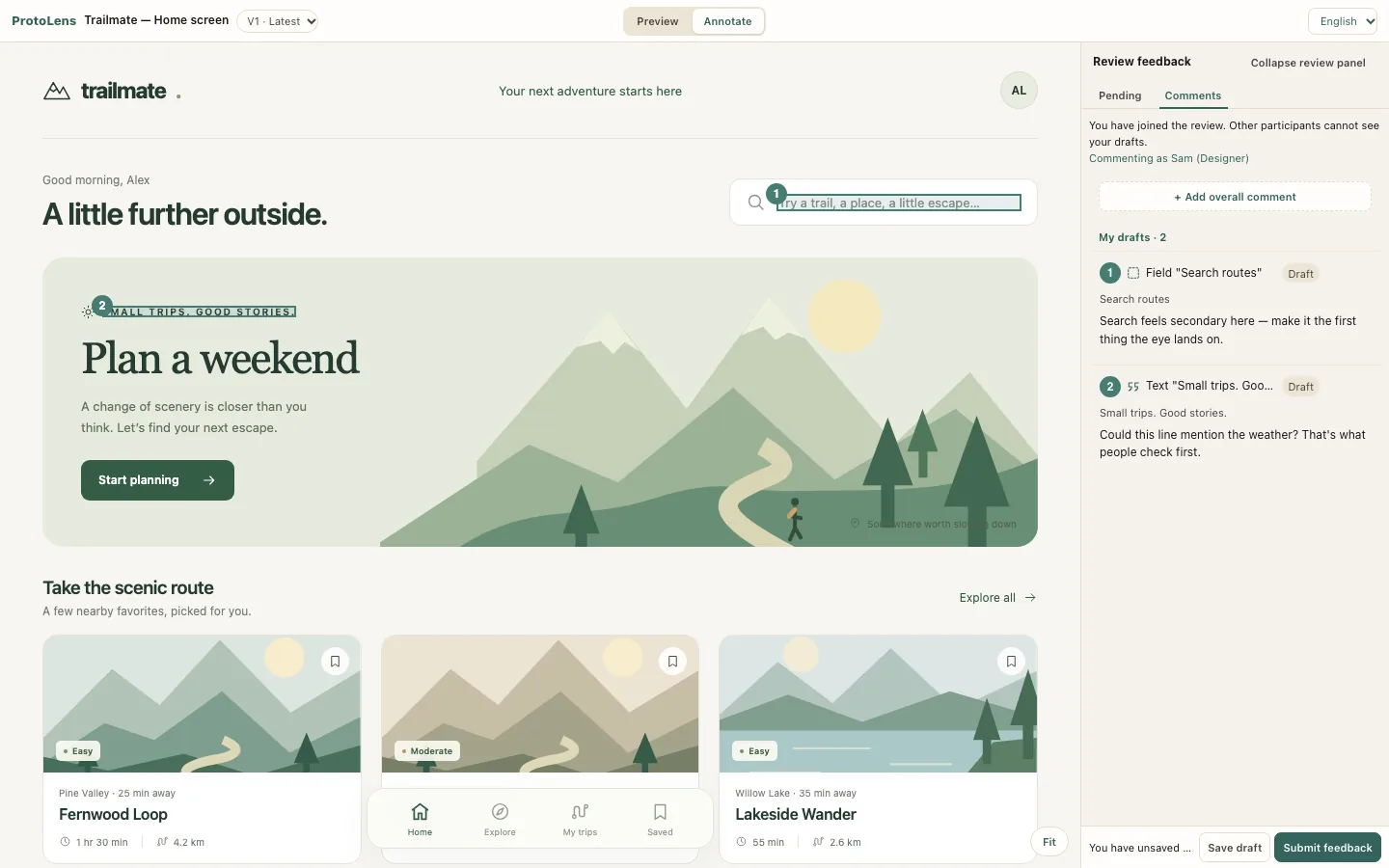
02 / Attach feedback to the actual content
Your connected AI uses MCP to publish a single, self-contained HTML prototype to ProtoLens and create a private review link. Reviewers open the private link and choose a nickname; no reviewer account is needed. Reviewers anchor comments to a region or text so the next person can locate the issue without guessing from an isolated screenshot.
Keep feedback attached to the next revision
Make the requirement browsable
Comment on exact text or regions
Ask your connected AI to read submitted feedback and publish V2 with a response to each item.
Check the revised prototype
A workflow overview, not a claim that agents automatically implement or accept every comment.
03 / Carry human judgment into the next AI pass
Collecting comments is only one part. Ask your connected AI to read the submitted feedback and publish V2 with a response to each item. In Previous round, the original reviewer checks each response against their feedback and verifies whether it meets their intent.
The trade-off: a self-contained review environment
This workflow accepts a single, self-contained HTML prototype, with inline styles, scripts, and embedded images. ProtoLens does not execute arbitrary builds, install dependencies or run application backends. Some fully interactive behavior therefore needs verification in the product’s own environment.